Early troubles with Heterogeneous Computing
A very interesting article on macOS’s M1-CPU core management made the front page of HackerNews today. It sent me down a rabbit hole of how different operating systems are dealing with the fact that modern processors have developed a split personality.
For those unfamiliar with heterogeneous computing, here’s the gist from the article:
In conventional multi-core processors, like the Intel CPUs used in previous Mac models, all cores are the same. Allocating threads to cores is therefore a matter of balancing their load, in what’s termed symmetric multiprocessing (SMP).
CPUs in Apple Silicon chips are different, as they contain two different core types, one designed for high performance (Performance, P or Firestorm cores), the other for energy efficiency (Efficiency, E or Icestorm cores).
Translation: Your CPU now has gym bros (P-cores) and yoga enthusiasts (E-cores) living under the same roof. Someone has to decide who does what.
Why ship different cores in processors?
The reasoning is actually pretty elegant: not every application needs a powerful processor core. Checking email? Yoga instructor can handle that. Compiling code? Send in the gym bros.
So chip designers thought: “Let’s ship a bunch of low-powered cores alongside the beefy ones and figure out which program should run where based on a bunch of data points.” Done properly, users get the same experience, battery life improves, thermals stay cool, and everybody’s happy.
Easy-peasy, right?
Narrator: It was not easy-peasy.
The choice
Here’s where it gets philosophical. From the article:
For these to work well, threads need to be allocated by core type, a task which can be left to apps and processes, as it is in Asahi Linux, or managed by the operating system, as it is in macOS.

We’ve arrived at the Matrix moment. Red pill or blue pill?
The Red Pill (Asahi Linux approach): Trust the developers. Let them peek under the hood and decide what’s best. Want everything on P-cores? Go for it. Want to squeeze every last drop of battery? Knock yourself out. It’s your computer, your choice, your consequences.
This is the Linux philosophy in a nutshell: “Here are the keys to the nuclear reactor. Try not to melt anything.”
The Blue Pill (Commercial OS approach): Stay in the Matrix. Let the OS handle the complicated stuff. Users and developers are presented with a simple abstraction - maybe a power slider at best - while the operating system plays air traffic controller behind the scenes.
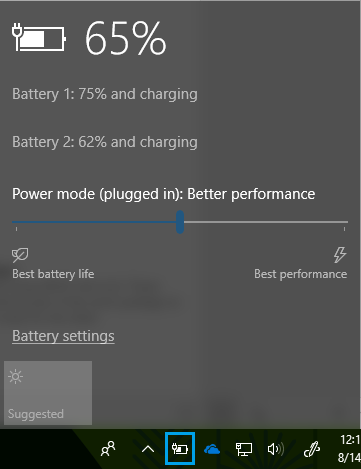
This is what Apple, Microsoft, and basically every smartphone OS does. They vouch for both battery life and performance, which means they have to make judgment calls. Thousands of them. Per second.
With symmetric processors, this was manageable. With heterogeneous cores? Welcome to the thunderdome.
Asymmetric multiprocessing ft. Apple
Apple clearly prioritizes battery efficiency across its entire lineup. The iPhone, iPad, and MacBook all share this philosophy: “The user should never have to think about power management.”
Noble goal. Messy execution.
iOS/iPadOS: The overprotective parent
Being mobile operating systems running on devices with modest batteries, iOS and iPadOS take… aggressive measures.
Background task restrictions: Apple essentially tells developers, “You can run in the background, but we’ll decide when, for how long, and we reserve the right to kill you at any moment.”
From Apple’s Developer Documentation:
The system may place apps in the background at any time. If your app performs critical work that must continue while it runs in the background, use
beginBackgroundTask(withName:expirationHandler:)to alert the system.The system grants your app a limited amount of time to perform its work once it enters the background. Don’t exceed this time, and use the expiration handler to cover the case where the time has depleted to cancel or defer the work.
Translation: “Here’s 30 seconds. Make them count. The clock is ticking. Good luck.”
The BitTorrent problem: This is where things get truly painful. While background downloads work fine for standard protocols using URLSession, custom protocols like BitTorrent are essentially impossible.
You could technically build a torrent client for iOS using the Network framework. Here are your options:
- Keep the app in the foreground forever. Hope you didn’t need your phone for anything else.
- Play silent audio in the background to keep the app alive. Yes, this is a real workaround people use. Yes, it’s as cursed as it sounds.
- Jailbreak your device and install a background apps tweak like it’s 2012.
None of these are good options. Apple basically said “no torrents” without saying “no torrents.”
macOS: The confident guesser
From the article:
Unlike Asahi Linux, macOS doesn’t provide direct access to cores, core types, or clusters, at least not in public APIs. Instead, these are normally managed through Grand Central Dispatch using Quality of Service (QoS) settings, which macOS then uses to determine thread management policies.
Threads with the lowest QoS will only be run on the E cluster, while those with higher QoS can be assigned to either E or P clusters.
macOS itself adopts a strategy where most, if not all, of its background tasks are run at lowest QoS.
Sounds reasonable until you hit real-world edge cases. The article points out a flaw in macOS’s Archive utility:
If you download a copy of Xcode in xip format, decompressing that takes a long time as much of the code is constrained to the E cores, and there’s no way to change that.
A HackerNews user clarified:
If you decompress something with Archive Utility, you’ll see that it does spend some time on all the cores, although it’s definitely not using them equally. It’s just that it doesn’t spend very much time on them, because it does not parallelize tasks very well, so most of the time it will be effectively running on 1-2 threads with the other cores idle.
So when you’re waiting 20 minutes to decompress Xcode, most of your fancy M1 cores are sitting there twiddling their thumbs while a single efficiency core does all the work.
This translates to: macOS is taking shots in the dark. It’s making educated guesses about what you want, and sometimes those guesses are very wrong.
The irony? Apple is now running two opposite races simultaneously:
- iOS: Moving from “battery savings above all” toward “maybe let apps do things sometimes”
- macOS: Moving from “let apps do whatever” toward “we should probably save some battery”
They’re meeting in the middle, and the middle is chaos.
Asymmetric multiprocessing ft. Intel
Intel, after years of watching ARM chips eat their lunch in the mobile space, finally joined the big.LITTLE party with Lakefield and Alder Lake chips.
Their solution? Thread Director - a hardware-level thread analyzer that provides runtime feedback to the OS. It monitors:
- Ratio of loads, stores, branches, average memory access times, patterns
- Types of instructions (flagging power-hungry operations like AVX-VNNI for machine learning)
- Whether a thread is actually frequency-limited or just waiting on something else
From Anandtech:
A thread will initially get scheduled on a P-core unless they are full, then it goes to an E-core until the scheduler determines what the thread needs, then the OS can be guided to upgrade the thread. In power limited scenarios, such as being on battery, a thread may start on the E-core anyway even if the P-cores are free.
This is actually clever. Instead of the OS blindly guessing, the hardware itself watches what threads are doing and whispers suggestions: “Hey, this one’s doing machine learning stuff, maybe give it a fast core?”
Whether it works in practice… well, early reviews were mixed. But at least they’re trying to solve the problem at the right layer.
Asymmetric multiprocessing ft. OnePlus
I have to admit, as a OnePlus 6 owner, I added this section for the laughs.
OnePlus took one look at the complex algorithms everyone else was building and said: “What if we just… tested popular apps manually and hardcoded the results?”
Why build sophisticated heuristics when you can have an intern play with Chrome for an hour and decide “yeah, this one can run slow”?
It’s the kind of solution that’s so dumb it almost circles back to being smart. Almost.
But here’s my personal beef with OnePlus: In all their wisdom about power management and battery optimization, they somehow keep killing my alarm app.
The alarm. The one app that absolutely, unequivocally, must run on time.
OnePlus looked at my alarm and thought: “This app is just sitting there doing nothing. Background task. Low priority. Kill it.”
And that’s how I missed a job interview.
Thanks, heterogeneous computing.
Conclusion
It’s humans vs. machines all over again - another Matrix reference to tie it all together.
The human approach (manually tuning, giving users control) is better but doesn’t scale. No everyone understands QoS levels.
The machine approach (let the OS figure it out) scales beautifully but gets things wrong in spectacular ways. Like killing alarm apps. Or making Xcode decompression take 20 minutes.
The answer lies somewhere in between: smart defaults with escape hatches for power users. Hardware hints combined with software intelligence. Trust the user, but verify.
We’re not there yet. But watching everyone stumble toward the solution is at least entertaining.
Just maybe set a backup alarm on a different device. Trust me on this one.